

Language
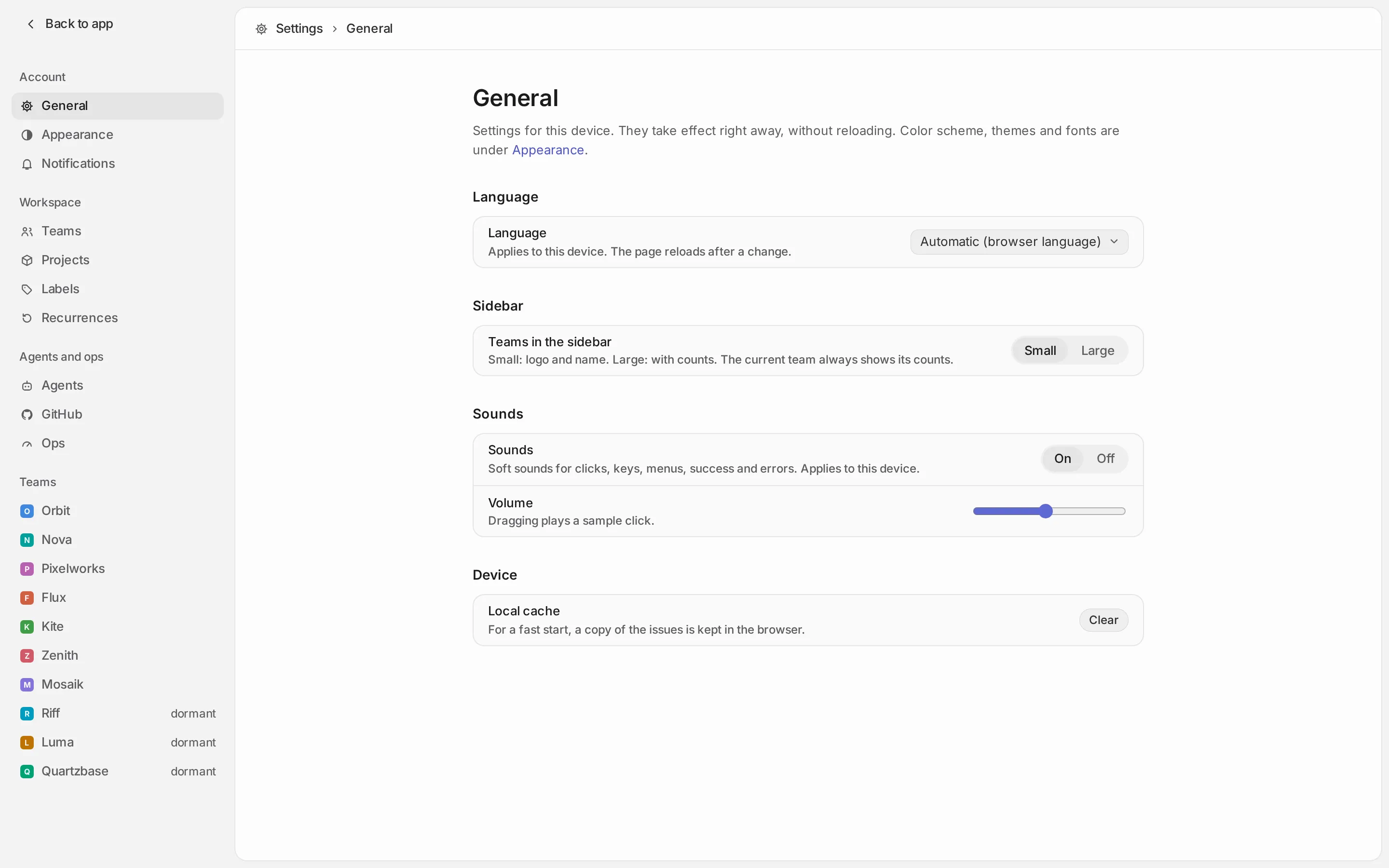
The XLR8 interface is available in English and German. By default it follows the language of your browser: German if your browser prefers German, English otherwise.
Changing the language
Section titled “Changing the language”- Open Settings → General.
- Under Language, choose Automatic (browser language), English or Deutsch.
The page reloads once to switch. The choice applies to the device you are on, so your phone and your laptop can use different languages.
Dates and numbers follow the chosen language too.
What does not change
Section titled “What does not change”Switching the language changes the interface: menus, buttons, notices, the names of views and actions. Some things are content or come from elsewhere and stay as they are:
- Your content: issue titles, descriptions, comments, knowledge pages, and the names of teams, labels and projects.
- Status names: each team’s statuses are names stored with the team, like labels. A new team gets default names (Backlog, Todo, In Progress, Done …) in the server’s language (see below), and you can rename them in the team’s settings.
- Server texts: the detail line of some error messages comes from the server and is in English.
- Agents: the MCP tools that agents use describe themselves and answer in English.
Some input understands both languages no matter which one is active: the command menu finds actions by
English and German words, the due date picker accepts “tomorrow” as well as “morgen”, and a
/new link accepts status and priority names in
either language.
On the server
Section titled “On the server”Push notifications, and the in-app notices that replace them while XLR8 is open, are written on the
server, not in your browser, so they cannot follow your device’s setting. The Convex environment variable XLR8_LOCALE sets their language:
XLR8_LOCALE |
Push notification texts | Default status names of new teams |
|---|---|---|
| not set (default) | English | English (In Progress, Done, Canceled …) |
de |
German | German (In Arbeit, Erledigt, Abgebrochen …) |
A notification keeps the language it was created in. Changing XLR8_LOCALE does not rename the
statuses of existing teams. For setting environment variables, see
Convex setup.